
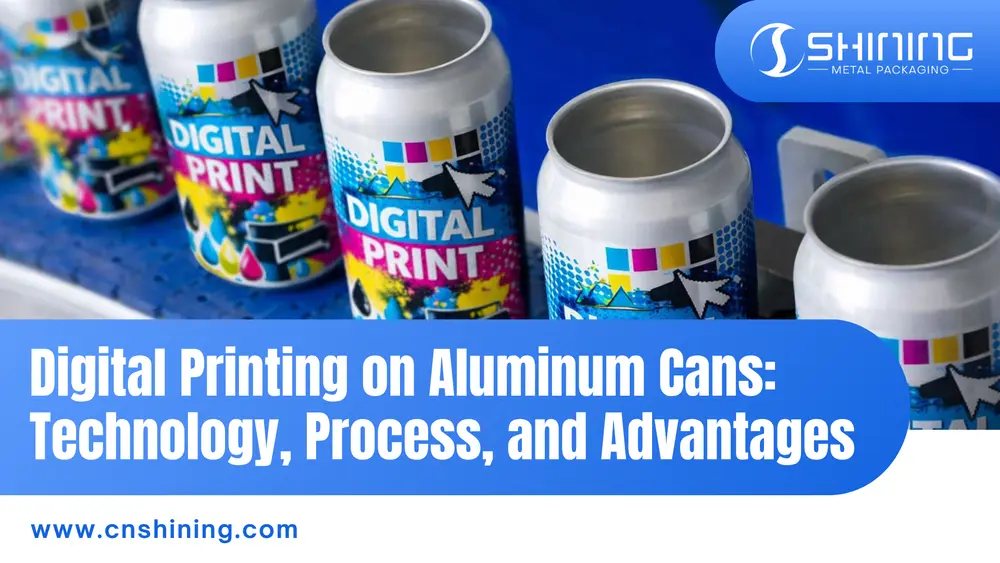
Digital printing on aluminum cans is characterized by full-color, photorealistic designs that are applied directly onto the metal surface. In recent years, this technology has gained significant attention due to its strong potential for enabling short-run, fast-turnaround packaging.
Unlike traditional engraved plate printing methods, digital can printing uses high-resolution inkjet heads to decorate blank aluminum cans directly. In practice, printing on a rotating metal cylinder is technically challenging—if the system is even slightly misaligned, high printing speeds can cause fine text to appear blurred. In addition, specially formulated UV-curable inks or protective varnish coatings are typically required to ensure the printed graphics can withstand processes such as hot filling or pasteurization.
How Digital Printing Works
The digital can-printing process resembles a large inkjet press adapted to cylindrical cans. A typical workflow is:
- Blank can preparation: Unprinted aluminum cans (often called “brights” or “silver” cans) are cleaned and surface-treated (e.g. with corona or flame) to improve ink adhesion. Consistent temperature and removal of oils or residues are critical because smooth aluminum is non-porous by nature.
- Artwork and color management: All designs start as digital CMYK files. These files are processed with specialized color profiles calibrated for metal substrates. Since bare aluminum reflects light differently than paper, printers rely on custom ICC profiles to get accurate colors. High-resolution artwork (typically on the order of 700 DPI or more) and vector graphics for logos/text are recommended to preserve crisp detail.
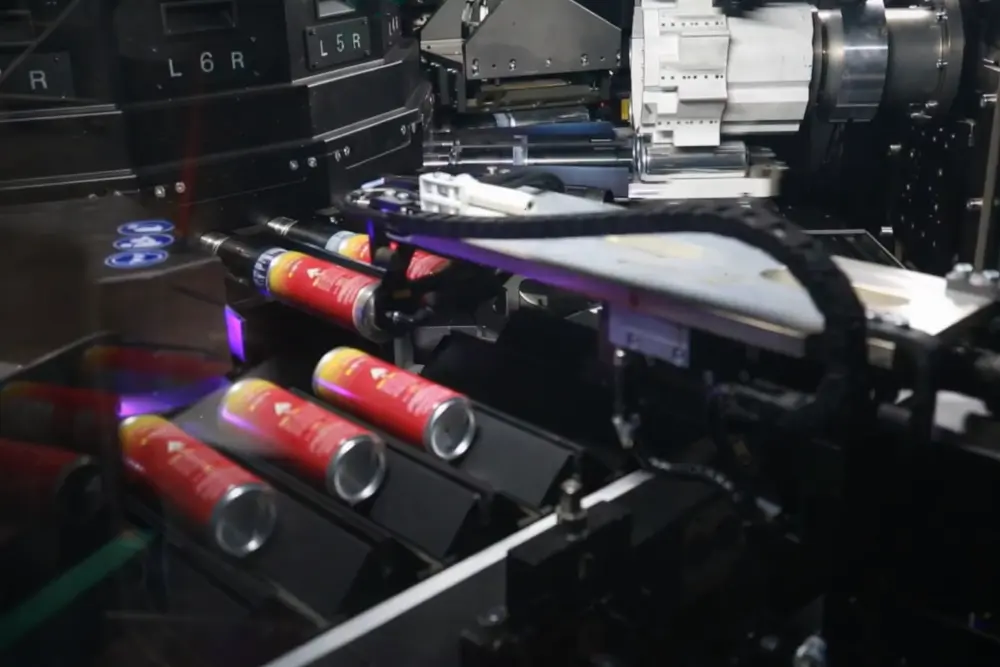
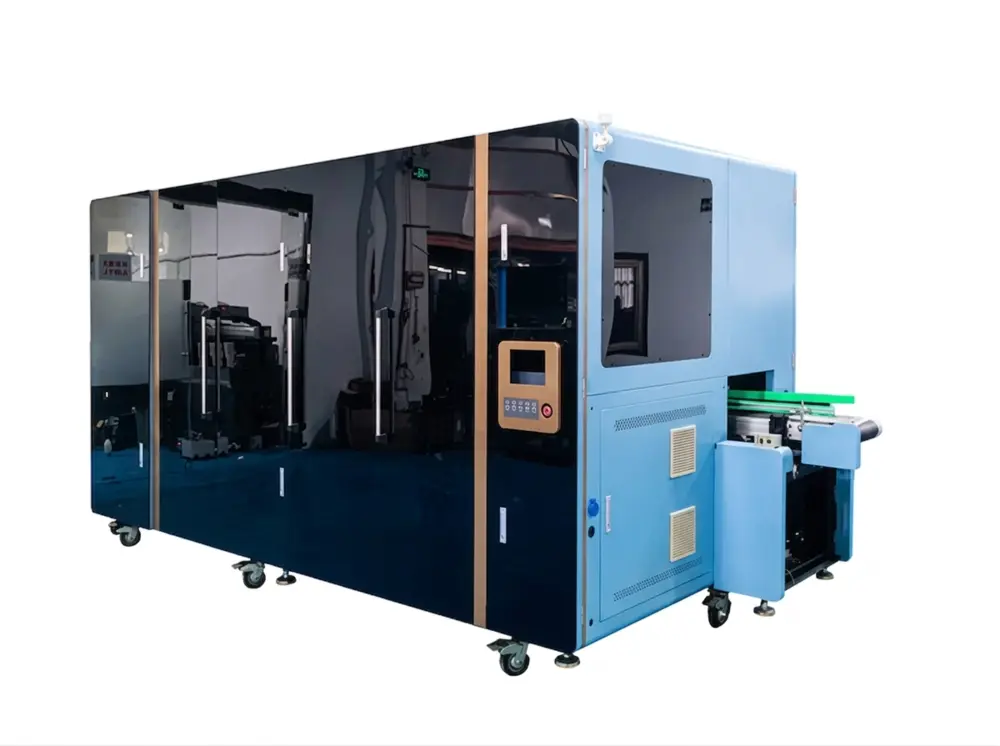
- Direct-to-can printing: Each can is loaded onto a rotating fixture and passes under stationary inkjet print heads. The non-contact printheads deposit microscopic droplets of UV-curable ink directly onto the metal. Multiple passes can build up layered color and opacity. Because the printer is fully digital, switching from one design to another requires only loading a new file – there are no plates or cylinders, so changeover downtime is virtually eliminated.
- Ink curing and durability: Immediately after printing, the cans are exposed to UV (or LED-UV) light which instantly cures (hardens) the ink. This bonds the ink to the aluminum and makes the print resistant to moisture, scratching, and heat. After curing, the cans can go through standard filling, pasteurization, and distribution channels just like traditionally printed cans.
- Quality control: Modern digital lines often include automated inspection systems. Cameras check each can’s color consistency, registration, ink coverage, and surface finish. Because every can is handled individually, any defect can be caught immediately rather than after thousands of pieces have been run.
Advantages of Digital Can Printing
Digital decorating offers several key benefits:
- Short runs and fast setup: Without engraved plates, even runs on the order of tens of thousands (or less) can be done economically. Setup after artwork approval is almost instantaneous, so brands can go from design to press in hours instead of days.
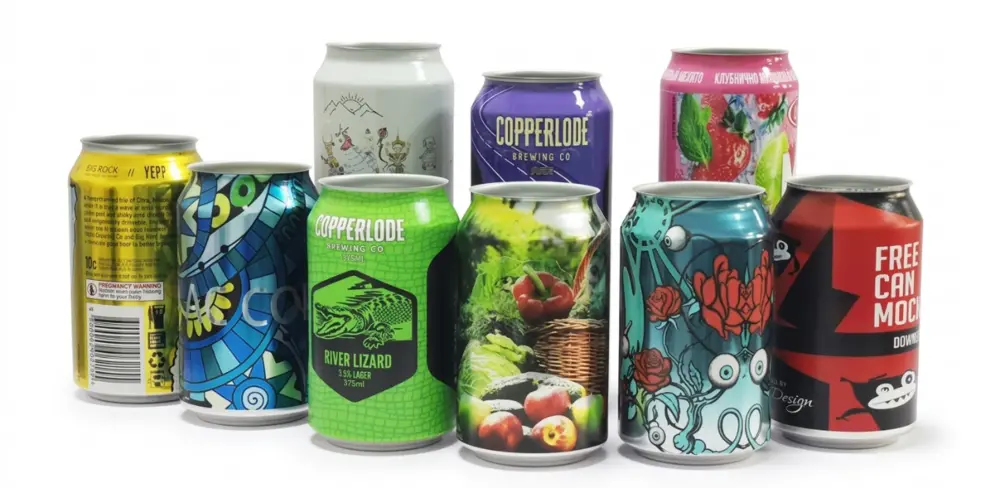
- Unlimited design flexibility: Every can can be unique. Seasonal labels, regional editions, or one-off custom designs are possible without extra tooling. Photorealistic graphics, fine gradients, and even using the bare aluminum as a design element (through white ink planning) are readily achieved.
- High image quality: Modern digital presses use high-resolution print heads, and guidelines call for ~700 DPI artwork. The resulting prints are very sharp and vibrant, with strong wear resistance. (Offset lithography can still achieve somewhat finer halftone detail, but digital prints are generally rated “very good” in precision.)
- Sustainability: Shorter, demand-driven runs reduce overproduction and waste. Eliminating plates, sleeves, or shrink-film labels cuts material use. For example, replacing printed sleeves with direct inkjet printing on cans can “save tonnes of plastic” and lower carbon footprint. Less make-ready waste and the ability to run any quantity on demand are greener for small brands.
Traditional vs. Digital Printing
Compared to legacy decorating methods, digital can printing has nearly opposite trade-offs:
| Aspect | Traditional High-Volume Printing (Offset Lithography / Screen Printing) | Digital Inkjet Printing |
|---|---|---|
| Setup / Changeover | Lengthy (plates or screens required) | Virtually eliminated – file-based only |
| Minimum Run Size | High (economical only at large volumes) | Low (tens of thousands or less) |
| Production Speed | Extremely fast (>3,000 cans per minute) | Moderate (tens to 100 cpm); 6,000 cans/hour |
| Detail & Quality | Excellent (finest halftone detail, thick opaque layers possible) | Very good (~600–900 DPI, sharp and vibrant; rated very good in precision) |
| Cost per Can | Lower at very high volumes | Lower at low-to-medium volumes |
| Flexibility | Limited (design changes costly) | Unlimited – every can unique |
| Sustainability Impact | Higher waste from plates and overproduction | Reduced waste, no plates or shrink sleeves |
When flexibility and customization are key, digital printing truly shines. For top speed and high volume, traditional printing processes have the edge. Rather than replacing conventional can decorating, digital printing complements it—and for many brands, especially craft beverage producers, the benefits are an ideal fit.
Challenges and Future Outlook
Key technical challenges – ink adhesion, print resolution, and system reliability – have seen rapid progress. Modern UV inks and coatings stick much better to bare aluminum than early formulas. (conventional can varnishes used for fast-filling lines are very slick, so printers often apply a special “sticky” coat or primer for digital printing.) Printhead technology has improved too: current industrial heads support higher DPI and finer droplet placement, enabling faster print speeds without quality loss. Advanced software and calibration ensure consistent color and registration across batches.
Industry reports note that today’s most advanced digital systems are approaching speeds once thought exclusive to analog production lines. For example, a new “direct-to-can” printer is reported to reach peak outputs of around 6,000 cans per hour (about 100 per minute) while maintaining high-quality results at speed. Looking ahead, this trend is expected to continue: with improvements in ink chemistry, advances in UV/LED curing, and smarter color management systems, digital printing will be able to handle larger production volumes and take on increasingly complex packaging applications.
Conclusion
Digital printing on aluminum cans is rapidly maturing into a practical complement to traditional decorating. It offers unmatched flexibility for custom, short-run, or highly varied designs (ideal for craft brewers and limited editions) and significantly lowers lead times. At the same time, it trades off some printing speed and scale. Offset and screen printing remain preferable for massive, unchanging runs due to their sheer throughput and ultrafine detail. In the balance, digital can printing is a powerful new tool – one that fills a niche between labels/sleeves and analog can finishing. As technology and materials continue to improve, many expect its role in beverage packaging to grow, bringing vibrant custom artwork to a wider market.
Frequently Asked Questions
A: Unprinted “bright” cans must be cleaned and surface-treated using corona or flame methods to ensure ink adhesion on the non-porous aluminum. Consistent temperature control and complete removal of oils or residues are critical. Failure here is the leading cause of downstream adhesion failures during pasteurization.
A: Artwork should be supplied at 700 DPI or higher using CMYK with custom ICC profiles calibrated for metal substrates. Vector graphics are required for logos and fine text. Procurement teams should request the supplier’s exact color-management profile before final file submission.
A: Yes – once UV-cured, the ink is bonded and resistant to moisture, scratching, and heat. Cans proceed through the same filling and distribution channels as traditionally printed cans. However, confirm the specific varnish or primer used matches your line’s temperature and chemical exposure requirements.
A: Most digital lines operate at tens to a few hundred cans per minute; the newest systems reach approximately 100 cans/min (6,000 cans/hour). Traditional offset lithography exceeds 1,000 cans/min. For procurement, match required daily output against the supplier’s documented line speed.
A: Post-cure cans must pass scratch, moisture, and heat resistance tests identical to conventional cans. Automated vision systems verify color consistency, registration (±0.1 mm typical), and full ink coverage on every can. Suppliers should provide detailed QC reports including adhesion test results.
A: The main risks are poor ink adhesion due to incomplete surface treatment or incompatible primers, and slightly lower maximum throughput compared with offset lines. Early-generation inks were more prone to failure under high-heat pasteurization; always request current adhesion performance data for your specific filling conditions.
A: Digital printing is most economical for runs of tens of thousands or fewer where plate-making and setup costs of analog methods become prohibitive. At very large volumes, traditional lithography remains cheaper per can. Procurement should request a detailed cost-per-can breakdown for their exact volume and design-change frequency.
A: Every can is inspected individually by automated camera systems for color, registration, and coverage. Defects are caught in real time rather than after thousands of units. This individual handling reduces scrap rates but requires robust calibration protocols to maintain consistency across batches.